

Claude Sheets and Claude Whiteboards are new beta tools from Anthropic, launched on 10 November 2026. Sheets builds and edits spreadsheets with Claude, and Whiteboards lets a team map ideas and have Claude summarise them. Both need a paid Claude plan, starting with Pro at $20 a month.
Many Indian small businesses still run on Excel files and WhatsApp notes. These tools let you describe a tracker or plan in plain English and get a working sheet or board, which can save time for owners who are not spreadsheet experts.
Key takeaways
- Anthropic launched Claude Sheets and Claude Whiteboards in beta on 10 November 2026.
- Sheets builds and edits spreadsheets from plain-English requests; Whiteboards lets a team map ideas and have Claude summarise them.
- Both need a paid Claude plan, starting with Pro at $20 a month.
- You can open them from any chat or from the Artifacts tab.
What are Claude Sheets and Claude Whiteboards?
Both are part of a wider update that turns Claude into more of a workspace. You can ask for a sheet or a board inside any chat, or open the Artifacts tab and pick the Sheets or Whiteboard tile.
Claude Sheets is a shared spreadsheet where you, your team and Claude edit the same cells. Claude Whiteboards is a digital board for brainstorming, where Claude can regroup notes, make a timeline or point out gaps.
In the same announcement Anthropic also introduced interactive connectors from partners such as Adobe and Atlassian, and renamed Dashboards to Claude Data. Claude Meetings, which will join calls and take notes, is listed as coming soon.
Key features
- Real formulas: formulas stay in the cells so you can check them. Anthropic’s help page lists 144 supported functions.
- Multiple tabs: Claude can add tabs and write formulas that work across them.
- Import and export: import CSV, Excel or Google Sheets files; export as .xlsx or CSV.
- Team editing: several people and Claude can edit at the same time, with cell comments and version history.
- Formatting and charts: conditional formatting, dropdowns, checkboxes and charts are supported. Each sheet can hold up to 100,000 cells.
- Whiteboard help: ask Claude to group ideas by theme, build a timeline, or turn the board into a document or deck. Boards export as PNG.
- Voice input: Whiteboards supports dictation in many languages, based on your browser’s language setting.
Some features are missing in the beta: pivot tables, find and replace, filter views, PDF export, macros and VBA are not supported yet. Sheets also cannot pull live data from connected apps.
Price and availability in India
Claude is available in India, and both tools are included in paid plans at no extra charge. They are not part of the free plan. Usage counts towards your plan’s normal limits.
| Plan | Price (USD) | Best for |
|---|---|---|
| Free | $0 | Trying Claude chat; no Sheets or Whiteboards |
| Pro | $20 per month, or $17 per month billed yearly | Solo owners, freelancers, students |
| Max | $100 per month | Heavy daily users |
| Team (standard seat) | $25 per seat monthly, or $20 billed yearly | Small teams and agencies; tools are on by default |
| Enterprise | Custom; admin must switch the tools on | Large companies |
At current exchange rates the Pro plan works out to roughly ₹1,800 a month before GST. This is approximate; check the final price shown at checkout.
Platforms: Sheets works fully on web and desktop, with read-only access on mobile. Whiteboards works on web, desktop and mobile.
How Indian businesses can use it
Retail shop or D2C store
Ask Claude to build a stock tracker with item, cost price, selling price, GST rate and reorder level. Claude can add formulas for margin and a column that flags items running low.
You can import last month’s Excel sales file and ask for a summary tab with top-selling items.
Coaching centre
A coaching centre can keep a fee and attendance sheet with one tab per batch. Claude can add checkboxes for paid fees and conditional formatting for overdue students.
Whiteboards can help teachers plan a term: list topics, then ask Claude to arrange them into a week-by-week timeline.
Marketing agency
Agencies can run a client brainstorm on a shared whiteboard, then ask Claude to group ideas by theme and turn them into a short campaign deck.
A content calendar in Sheets, with dropdowns for platform and status, keeps the team on the same page.
How to try it
- Sign in at claude.ai with a Pro, Max, Team or Enterprise plan.
- In any chat, ask for a sheet or a whiteboard, for example “make a monthly expense tracker”.
- Or open the Artifacts tab and choose the Sheets or Whiteboard tile.
- Edit cells or notes directly, or ask Claude to make changes.
- Click Share to invite teammates. Sheets are private until you share them.
- Export the sheet as .xlsx or CSV, or the board as PNG, when you are done.
Try this prompt
Create a Claude Sheet for my small kirana and FMCG shop in India.
Tab 1 "Stock": Item, Category, Cost Price (INR), Selling Price (INR), GST %, Stock Qty, Reorder Level, Margin % (formula), Reorder? (checkbox that turns on when Stock Qty is below Reorder Level).
Tab 2 "Daily Sales": Date, Item (dropdown from Stock tab), Qty Sold, Sale Value (formula).
Tab 3 "Summary": total sales this month, top 5 items by sales value, and a bar chart.
Add 10 sample rows with common Indian grocery items.
More ready-to-copy prompts: free AI prompt library.
Limitations to know before you pay
Because both tools are in beta, it is worth checking these points before you move important work into them.
- No free plan access: you need at least the Pro plan, so test with one paid account before buying seats for a whole team.
- Missing spreadsheet features: pivot tables, protected ranges, find and replace, multi-column sort and filter views are not available yet.
- No macros: if your accounts or inventory file depends on VBA macros or Power Query, keep using Excel for that file.
- No live data: a sheet cannot pull live numbers from your billing software or connected apps; you need to import or paste data.
- Usage limits: building sheets and boards uses the same usage allowance as normal Claude chats.
- Size limit: each sheet can hold up to 100,000 cells, which is enough for most small businesses but not for very large sales logs.
Claude Sheets vs Excel vs Google Sheets
Claude Sheets is not trying to replace every spreadsheet you use. It is most useful when you want to describe what you need and let AI build the first version.
| Need | Better choice | Why |
|---|---|---|
| Build a new tracker from a plain-English description | Claude Sheets | Claude creates tabs, formulas and formatting for you |
| Free, shared sheet for a small team | Google Sheets | No paid plan needed for basic use |
| Complex accounts files with macros or pivot tables | Microsoft Excel | Full feature set, including VBA and Power Query |
| Explaining or fixing formulas in an existing file | Claude Sheets | Import the file and ask Claude what each formula does |
Many businesses will use more than one: build the first version with Claude, then export as .xlsx if your accountant prefers Excel.
Tips for better results
- Name every column you want, in the order you want it.
- Say which columns need formulas and what they should calculate.
- Mention Indian formats you need, such as INR, GST percentage or DD-MM-YYYY dates.
- Ask for sample rows first, check them, then paste your real data.
- Always cross-check totals before using a sheet for tax or payroll decisions.
Alternatives
- Google Sheets with Gemini: free spreadsheet; Gemini help needs a Google Workspace or Google AI plan.
- Microsoft Excel with Copilot: familiar for most offices; Copilot needs a Microsoft 365 plan that includes it.
- Miro: a mature online whiteboard with its own AI features and a free plan.
Related guides on Cracckk
- How to use Notion AI for business – notes, docs and team wikis
- How to use AI for business analytics – turn sales data into decisions
- Best AI tools for inventory management – stock tracking for Indian shops
- Claude Fable 5.2 explained – price, features and plans for Indian users
Start here for the full picture: our AI for Small Business in India guide.
FAQ
Is Claude Sheets free?
No. Claude Sheets and Whiteboards are only on paid plans: Pro, Max, Ultra, Team and Enterprise. The free plan does not include them.
Can I open my existing Excel file in Claude Sheets?
Yes. You can import CSV, Excel or Google Sheets files and export back to .xlsx or CSV. Macros and VBA are not supported.
Does Claude Sheets work on mobile?
Only partly. Anthropic says mobile has basic read-only access to Sheets. Whiteboards works on mobile as well as web and desktop.
Is Claude Meetings available?
Not yet. Anthropic lists Claude Meetings as coming soon, with no date announced.
Sources
- Anthropic: More ways to work with Claude
- Claude Help Center: Get started with Claude Sheets
- Claude Help Center: Get started with Claude Whiteboards
- Claude plans and pricing
- The Decoder: Anthropic turns Claude into a full workspace
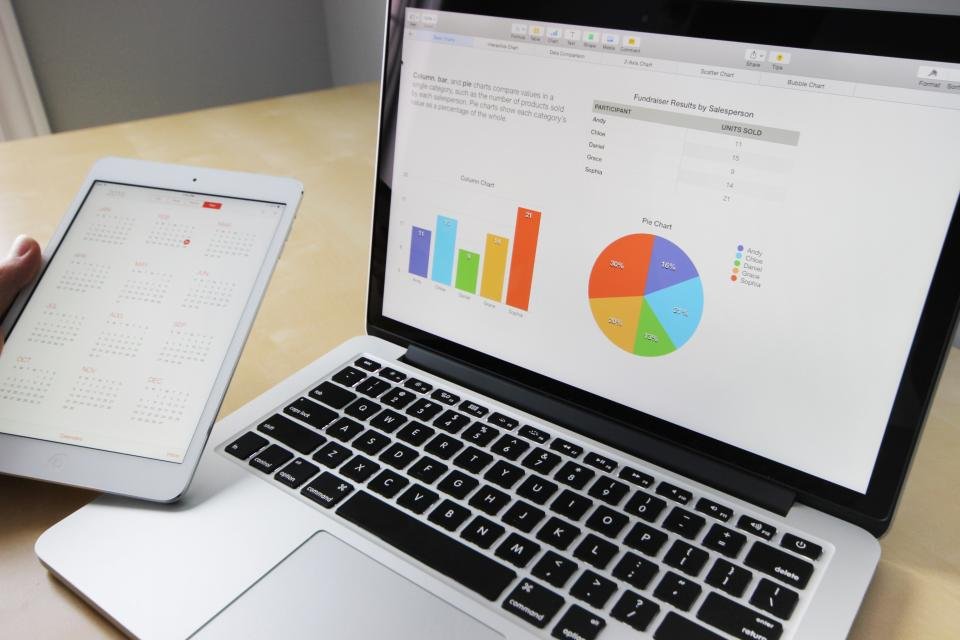
Featured image: Business Working by Marc Chouinard, CC0 (via Openverse)




1 comment