
At Adobe MAX 2026 on 10 November, Adobe announced new AI tools for creators: an expanded Creative Agent in Firefly, AI Assistants inside Photoshop, Premiere and other apps, Relight in Photoshop and Generative Remove for video. Most Adobe MAX 2026 AI tools are in beta and need a paid Adobe plan.
Many Indian video editors, designers, wedding photographers and social media agencies already use Photoshop and Premiere. These updates aim to cut down boring editing jobs, so it is worth knowing what is ready now and what is still coming.
Key takeaways
- Adobe announced new AI tools at Adobe MAX 2026 on 10 November in Miami Beach.
- Highlights: an expanded Creative Agent in Firefly, AI Assistants in Photoshop and Premiere, Relight in Photoshop and Generative Remove for video.
- Most of these tools are in beta.
- You need a paid Adobe plan to use them.
What is new at Adobe MAX 2026?
Adobe MAX is Adobe’s yearly creative conference, held this year in Miami Beach from 10 to 12 November 2026. The main theme was AI agents: assistants that can carry out several editing steps from one written instruction.
Adobe is turning Firefly into a full creative studio. It brings together Adobe’s own tools, third-party AI models and a Creative Agent that works across apps. Adobe also showed new single features inside Photoshop, Premiere and Lightroom.
Key features
- AI Assistants in Creative Cloud apps (beta): Type what you want in plain language inside Photoshop (beta app), Premiere, Illustrator, InDesign, After Effects and Frame.io.
- Photoshop Relight and Generative Restyle: Change the lighting of a photo or restyle an image after it is shot.
- Premiere Generative Remove (beta): Remove unwanted objects from video clips.
- Premiere audio tools: Enhance Audio, Separate Crosstalk and Separate Sound Source to clean up recorded speech.
- Lightroom fixes (beta): Open Eyes for blinking photos, Blemish Removal and a Glow effect.
- Firefly Builder (private beta): Turn a text prompt into a prototype for a website, presentation or app.
- Local MCP connection (preview): Lets outside AI assistants such as ChatGPT or Claude work on native Photoshop, Illustrator, Premiere and After Effects files. Reports say a private beta is planned for early 2027.
Price and availability in India
Adobe has not announced separate prices for these new tools. Earlier reporting says the AI Assistant needs an active Adobe subscription that includes the app, and generative features use Adobe’s generative credits. India-specific launch dates for each feature are not confirmed.
| Feature | Status | Price |
|---|---|---|
| AI Assistants in Photoshop, Premiere, Illustrator, InDesign | Public beta | Needs paid Creative Cloud plan; extra cost not confirmed |
| Premiere Generative Remove | Beta | Not confirmed (likely uses generative credits) |
| Photoshop Relight, Generative Restyle | Not confirmed | Not confirmed |
| Lightroom Open Eyes, Blemish Removal, Glow | Beta | Not confirmed |
| Firefly Builder | Private beta | Not announced yet |
| Local MCP for outside AI agents | Preview | Not announced yet |
Check adobe.com/in for current Creative Cloud and Firefly plan prices in rupees before you buy.
How Indian businesses can use it
Wedding and event photographers
Lightroom’s Open Eyes and Blemish Removal can save hours on big wedding shoots where one guest always blinks. Relight in Photoshop can fix a portrait taken in poor hall lighting.
Always keep the original file, and tell clients when you have used AI edits.
YouTubers and Reels creators
Premiere’s audio tools can clean up a podcast recorded in a noisy room. Generative Remove can take out a passer-by or a logo from the background of a clip.
The AI Assistant can also handle repeat jobs, such as resizing one video for YouTube, Instagram and Shorts.
Social media and design agencies
Agencies handling many D2C brands can ask the Firefly Creative Agent for several versions of a festive campaign creative in brand colours. A designer then picks and polishes the best one.
Firefly Builder, once it opens up, may help agencies show clients a quick website or pitch mock-up.
How to try it
- Open the Creative Cloud desktop app with a paid Adobe plan.
- Go to the Beta apps section and install the Photoshop beta, or update Premiere to the latest version.
- Look for the AI Assistant panel and type a simple instruction, for example to remove the background and add soft studio light.
- Check your generative credits balance in your Adobe account after a few edits.
- For Firefly features, visit firefly.adobe.com and log in with the same Adobe ID.
Try this prompt
This is a product photo of our handmade brass diya for Diwali sales. Remove the cluttered background and replace it with a plain warm cream backdrop. Add soft golden light from the left, keep the diya's real colour and shape unchanged, and create three versions sized for an Instagram post, an Instagram story and an Amazon product image.More ready-to-copy prompts: free AI prompt library.
Alternatives
- Canva: Simpler AI design and photo tools, popular with small Indian businesses, with a free plan.
- CapCut: Easy AI video editing for short-form content, though check availability rules in India before relying on it.
- DaVinci Resolve: A strong free video editor with paid AI features in the Studio version.
Tips for Indian creators before you start
- Check what your plan includes: open the Creative Cloud app or your Adobe account page to see which AI features and generative credits your current plan has.
- Start with a small project: try new AI features on a short reel or a single poster before using them for client work.
- Keep a human review step: AI edits can change faces, text and colours in ways you did not expect, so check every export.
- Read the usage terms: if you sell designs or deliver work to clients, confirm the commercial-use terms for AI-generated content.
- Compare INR pricing: check prices on Adobe India’s site, since Indian plans and offers can differ from US prices.
Related guides on Cracckk
- How to use Canva AI for business marketing – a cheaper design option
- AI tools for content creation – for creators and small teams
- AI tools for Instagram growth – plan, design and caption posts
- Best AI podcast tools for business – record, edit and publish faster
Start here for the full picture: our AI Marketing for Indian Businesses guide.
FAQ
Are the new Adobe AI tools free?
No separate prices have been announced. The AI Assistants need an active paid Adobe subscription, and generative features usually use generative credits.
Can I use these tools in India?
Creative Cloud is sold in India, and beta apps are offered through the Creative Cloud app. Feature-by-feature India availability has not been confirmed by Adobe.
What is the Adobe Creative Agent?
It is an AI agent that can carry out multi-step creative tasks across Adobe apps from a single written instruction. Adobe first expanded it to Creative Cloud apps in June 2026.
Can ChatGPT or Claude edit my Photoshop files?
Adobe previewed a local MCP connection for this, but it is not generally available yet. Reports say a private beta is planned for early 2027.
Sources
- Adobe Newsroom: Creative Agent expansion (June 2026)
- TechCrunch: Adobe adds AI agents and new creative tools
- IT Brief: Adobe unveils AI agents across Firefly and Creative Cloud
- PetaPixel: Adobe’s Creative Agent
- VentureBeat: Firefly AI Assistant
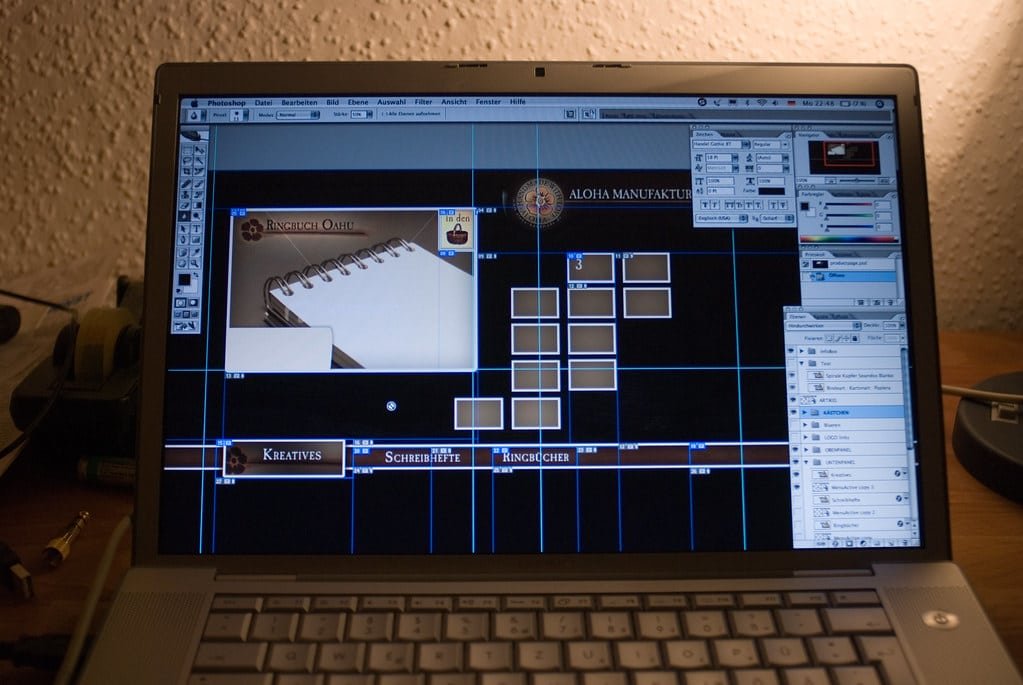
Featured image: aloha manufaktur by fronx, CC BY (via Openverse)