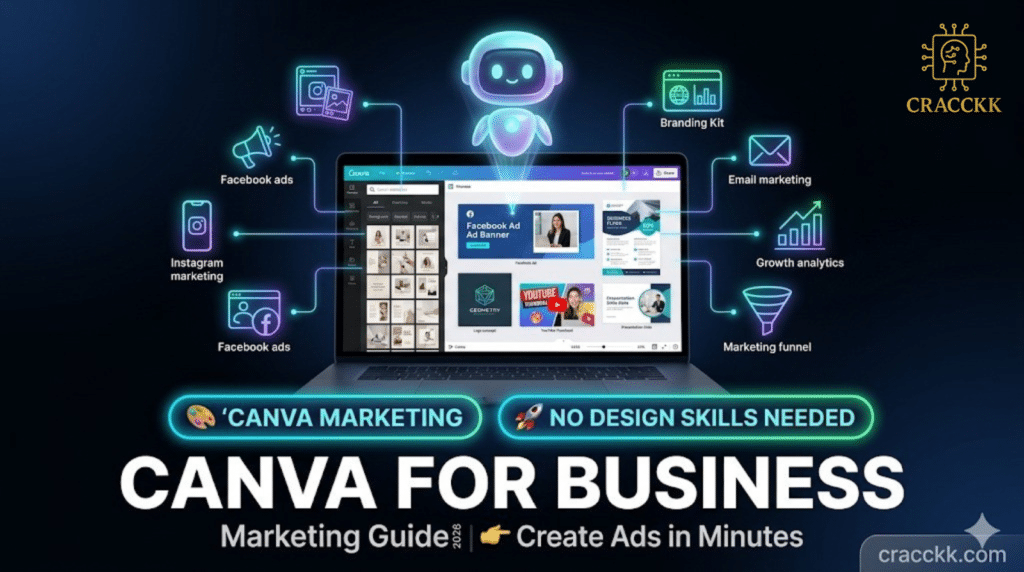
How to use Canva AI for business marketing in 2026
Most Indian business owners use Canva the same way they used Microsoft Word in 2010.
They open it. They pick a template. They change the text. They download the image. They post it.
That’s ok for people who want to get the job done. But those people are missing its full potential. In 2026, Canva isn’t just your normal design tool with just some extra AI features on top. It’s a full marketing agent that can write content, create images, remove the ugly background, adjust the design according to the platform you want, translate your campaign into hundreds of languages and also make an entire marketing presentation from a single sentence.
The Indian business owners who have figured this out are producing more content, better content, and more consistent content than their competitors — without a designer, without a copywriter, and without spending more than 30 minutes a day on marketing.
The ones who have not figured it out are still changing the text on the same 3 templates they downloaded in 2022.
This guide is about closing that gap.
By the end of this article, you will know:
- Every major AI feature in Canva in 2026 and exactly how to use it
- How to create a full week of marketing content in under 45 minutes
- How to use Canva AI to write your captions, ads, and WhatsApp campaigns
- How to generate professional product images without a photographer
- How to build a complete marketing system inside Canva that runs every week
Let’s get into it.
Why Canva AI Is Different in 2026
Before the features — one minute on what changed.
Three years ago, Canva was a drag-and-drop design tool. Good templates, easy to use, better than PowerPoint. That was it.
In 2026, Canva in each and every tool have ai underneath it. Sometimes, the thing that you say and the output that the AI gives you are different. It isn’t small, and this is the difference between a person who doesn’t understand this and has to spend 3 hours and a person who understands it and spends 20 minutes.
Here is everything you need to know.
The 8 Canva AI Features Every Indian Business Owner Needs to Know
⚡ Feature 1 — Magic Write
What it is: Canva’s built-in AI writing tool.
Where to find it: Click any text box → Click the AI icon → Magic Write
Free plan: 50 uses free | Unlimited on Canva Pro
Magic Write is ChatGPT inside Canva. You describe what you want written — a caption, a tagline, a product description, a slide headline, an ad headline — and Magic Write generates it in seconds. Right inside your design. No switching apps. No copy-pasting.
How to use it for marketing:
You are designing a Diwali sale poster. You have the visual ready. You need a headline. Instead of staring at a blank text box for 10 minutes, you click Magic Write and type: “Write a punchy Diwali sale headline for a clothing boutique — 30% off — festive and exciting tone.” Magic Write gives you 5 options in 5 seconds. You pick the best one. Done.
Real example prompts to use right now:
- “Write a 3-line Instagram caption for a new product launch — — exciting and friendly tone. End with a call to action.”
-
n8n
n8n Automation Bundle — 12,000+ Workflows
₹999.00Original price was: ₹999.00.₹99.00Current price is: ₹99.00. Add to cart
-
- “Write a WhatsApp broadcast message for a weekend sale — 20% off all products — under 80 words — Hinglish tone.”
- “Write 3 headline options for a Facebook ad promoting [your service] — target audience is Indian women aged 25-40.”
- “Write a tagline for my [business type] business — short, memorable, professional.”
The key to Magic Write is specificity. The more detail you give it — tone, audience, platform, length, language — the better the output. A vague prompt gives you a generic result. A specific prompt gives you something you can use immediately.
⚡ Feature 2 — Text to Image (AI Image Generator)
What it is: Generate custom images from a text description.
Where to find it: Apps → Text to Image
Free plan: Limited credits | More credits on Pro
You describe an image. Canva generates it. Completely original. No copyright issues. No stock photo that 500 other businesses have already used.
How to use it for marketing:
You sell handmade soaps. You want a lifestyle image — soaps arranged on a wooden surface with lavender flowers and soft morning light. Hiring a photographer costs ₹5,000 for 3 days. Describing it to Canva’s AI image generator takes 30 seconds and costs nothing.
Prompts that work well for Indian businesses:
- “A flat lay of handmade soaps on a rustic wooden surface with dried flowers, soft morning light, warm tones, product photography style”
- “An Indian woman in a modern kitchen using [your product], lifestyle photography, warm lighting, authentic and relatable”
- “A minimalist product shot of on a clean white surface with soft shadows, professional e-commerce photography style”
- “Festive Diwali background with diyas and marigolds, warm golden light, no text, suitable for a sale poster background”
One important note — Canva’s image generator works best for backgrounds, lifestyle scenes, and abstract visuals. For your actual product, photograph it yourself and use the background remover (Feature 3) to make it look professional. Use AI-generated images as the scene around your product — not as a replacement for your actual product photo.
⚡ Feature 3 — Background Remover
What it is: Remove the background from any photo in one click.
Where to find it: Select any image → Edit Image → Background Remover
Free plan: Not available | Available on Canva Pro
This is the single feature that pays for Canva Pro on its own.
You photograph your product on your kitchen table. Messy background. Bad lighting. Looks unprofessional. You upload it to Canva. Click Background Remover. One click. The background disappears. You place your product on a clean white, a gradient, a lifestyle scene, or a festival backdrop. The result looks like a studio photograph.
How Indian businesses are using this:
A jewellery seller in Rajkot photographs every piece on her dining table. The background remover AI removes the background in 2 seconds. You then chose a dark velvet background from the AI, which makes your photos look like a professional Jeweller. Your posts get more attention than your competitor, who has the same things, just with worse photos.
A food business in Lucknow photographs its products in its kitchen — not ideal. Background removed. Product placed on a clean white surface with a light shadow added. Suddenly, it looks like a professional food brand instead of a home kitchen operation. The product did not change. The photo quality transformed overnight.
⚡ Feature 4 — Magic Design
What it is: Generate a complete design from a text prompt or uploaded image.
Where to find it: Create New Design → Magic Design
Free plan: Limited uses | Unlimited on Pro
Magic Design is where most people’s jaws drop the first time they use it.
You type: “Create an Instagram post for a Navratri sale for my clothing store — festive colours, traditional feel, 20% off offer.” Canva generates 6 complete, fully-designed Instagram posts — different layouts, different colour schemes, all on-brand for the brief you gave. You pick the one you like, adjust the text, swap your logo in, and download. The entire thing takes 4 minutes.
How to use it every week:
Every Monday morning, type your week’s marketing brief into Magic Design. Your upcoming offers. Your new products. Your current promotions. Get 6 design options for each. Pick the best. Schedule them. Your week’s content is done before your first cup of chai is finished.
Prompts for Indian businesses:
- “Instagram post for a weekend sale — homemade pickle brand — earthy warm colours — 15% off all products”
- “Facebook ad for a coaching institute — engineering entrance exam preparation — professional and motivating — free demo class offer”
- “WhatsApp status image for a salon — Sunday special offer — 10% off hair spa — elegant and feminine”
- “LinkedIn post design for a CA firm — tax filing reminder — professional dark blue and gold — March deadline”
⚡ Feature 5 — Magic Resize
What it is: Resize any design to any platform size in one click — automatically.
Where to find it: Resize button at the top of any design.
Free plan: Not available | Available on Canva Pro
You design one Instagram post. You need it as a Facebook cover, a WhatsApp status, a YouTube thumbnail, a LinkedIn banner, and a website banner, too.
Without Magic Resize, you redesign each one from scratch. 6 designs. 2 hours.
With Magic Resize, you click Resize, select all the formats you need, and Canva creates all 6 versions automatically — adjusting the layout for each size. 30 seconds.
The marketing workflow this enables:
Design once. Resize to every platform. Post everywhere. Your brand looks consistent across Instagram, Facebook, WhatsApp, LinkedIn, and your website — without the extra work.
For Indian businesses running festival campaigns — Diwali, Holi, Eid, Independence Day — this feature alone saves 3-4 hours per campaign.
⚡ Feature 6 — Magic Eraser and Magic Edit
What it is: Remove unwanted objects from photos or change specific elements using AI.
Where to find it: Edit Image → Magic Eraser or Magic Edit.
Free plan: Limited | Full access on Pro
Magic Eraser removes anything from a photo that you do not want there — a stray wire, a background object, a shadow, someone’s hand in the corner of the frame. You brush over it. It disappears. The background fills in naturally.
Magic Edit goes further. You select an area in a photo and describe what you want to replace it with. A plain wall becomes a brick wall. A white mug becomes a branded mug with your logo. A daytime scene becomes golden hour. All generated by AI.
How Indian businesses use this:
A restaurant in Chennai was taking photos of their food, but there were just too many distractions, like table edges and napkins, that the food couldn’t be the focus. Magic Eraser removed everything from the background, giving her clean, professional and appetising photos.
A furniture brand in Mumbai had beautiful product photos, but the showroom background was inconsistent across different photo sessions. Magic Edit replaced every background with the same clean studio look — creating a consistent visual identity across their entire catalogue.
⚡ Feature 7 — Canva AI Presentation Maker
What it is: Generate a complete presentation from a single text prompt.
Where to find it: Create New → Presentation → Generate with AI.
Free plan: Limited | Full access on Pro
You type your topic. Canva generates a complete, professionally designed presentation — slide structure, headings, content, visuals, and layout — in under 60 seconds.
How Indian businesses use this for marketing:
A digital marketing agency in Delhi uses Canva’s AI presentation maker for every client pitch. They type the client’s brief — industry, objective, budget — and Canva generates the initial deck structure. They fill in their specific strategy and data. A pitch deck that used to take a day now takes 2 hours.
A coaching institute in Hyderabad creates a new informational webinar presentation every month. Instead of starting from scratch, they type the webinar topic and let Canva generate the structure. They add their content on top. Their webinar production time dropped from a full day to 3 hours.
Prompt to use:
“Create a 10-slide presentation on [topic] for [audience]. Include an introduction, 5 key points, real examples, and a conclusion with a call to action. Professional and clean design.”
⚡ Feature 8 — Brand Kit and Magic Switch
What it is: Store your brand colours, fonts, and logo — and apply them to any design in one click.
Where to find it: Brand → Brand Kit
Free plan: 1 brand kit | Multiple kits on Pro
Brand Kit stores your logo, your brand colours, and your brand fonts. Every time you use a template, Magic Switch applies your brand identity to it automatically. You never manually change colours and fonts again.
Why this matters for Indian small businesses:
Most small businesses look inconsistent across platforms. Their Instagram uses one colour. Their WhatsApp status uses another. Their Facebook ad looks completely different. This inconsistency erodes trust — customers do not recognise the brand across touchpoints.
Brand Kit fixes this. You set it once. Every design you create in Canva from that point forward automatically uses your colours and fonts. Your brand looks consistent everywhere — whether you designed it yourself or generated it with AI.
Your Complete Weekly Marketing Workflow Using Canva AI
Here is the system. 45 minutes every Monday. Your entire week of marketing content is done before 10 AM.
Step 1 — Monday, 10 minutes: Plan the week
Open a blank Canva doc. Use Magic Write to generate your content plan: “Give me 7 Instagram post ideas for a [business type] business for this week — include 2 educational posts, 2 product posts, 2 engagement posts, and 1 offer post.” You have your content calendar in 30 seconds.
Step 2 — Monday, 20 minutes: Create the designs
For each post idea, open Magic Design and type a brief. 6 design options appear. Pick the best. Swap your product photo in. Background Remover cleans the photo. Magic Write generates the caption. Brand Kit applies your colours. Design done in 3 minutes per post.
Step 3 — Monday, 10 minutes: Resize and schedule
Magic Resize converts every post to Instagram, Facebook, and WhatsApp sizes simultaneously. You schedule them using Canva’s built-in scheduler — yes, Canva can post directly to Instagram and Facebook for you. No Buffer, no Hootsuite needed.
Step 4 — Monday, 5 minutes: Review
Check all 7 posts look right. Adjust one or two captions. Done.
Total time — 45 minutes. Total posts created — 7. Total platforms covered — Instagram, Facebook, WhatsApp. Total cost — Canva Pro at ₹333 per month.
Canva Free vs Pro — What Do You Actually Need?
| Feature | Free Plan | Pro Plan (₹4,000/year — ₹333/month) |
|---|---|---|
| Magic Write | ✅ 50 uses free | ✅ Unlimited |
| Text to Image | ✅ Limited credits | ✅ More credits |
| Background Remover | ❌ Not available | ✅ Unlimited |
| Magic Resize | ❌ Not available | ✅ Unlimited |
| Magic Design | ✅ Limited | ✅ Unlimited |
| Magic Eraser | ❌ Not available | ✅ Available |
| Brand Kit | ✅ 1 kit | ✅ Multiple kits |
| AI Presentation Maker | ✅ Limited | ✅ Unlimited |
| Content Scheduler | ✅ Limited | ✅ Unlimited posts |
| Templates | ✅ 250,000+ | ✅ 1 million+ |
Honest verdict: The free plan is genuinely useful for getting started. But Background Remover and Magic Resize alone are worth the Pro price for any business that creates content regularly. At ₹333 per month — less than the cost of one graphic design request to a freelancer — Canva Pro pays for itself on the first Monday you use it.
Frequently Asked Questions
This is exactly who Canva AI is built for. Every AI feature in Canva is designed for people who do not know design. Magic Design does the design for you. Magic Write does the writing. Background Remover does the photography editing. You direct. The AI executes.
Yes. Magic Write works in Hindi and Hinglish. Type your prompt in Hindi, and it responds in Hindi. Type in English and ask it to write the output in Hinglish — it will. For regional language marketing, this is genuinely useful.
The difference is integration. When Magic Write generates a caption inside your design, you can immediately see how it looks with the visual. You tweak it, and the design updates. No copy-pasting between apps. No switching windows. The writing and the design happen in the same place, which is faster and produces better results.
Yes — Canva's content scheduler connects to Instagram, Facebook, LinkedIn, and Pinterest and posts directly on the schedule you set. You design, you schedule, and Canva posts. You do not need to manually download and upload every day.
For 80% of Indian small business marketing needs — Instagram posts, Facebook ads, WhatsApp campaigns, sale banners, festival creatives, and basic presentations — yes. For complex brand identity work, custom illustrations, or high-end advertising campaigns — no. A professional designer still does that better. But the 80% that Canva AI handles is exactly the daily, weekly, repetitive marketing content that was eating your time and budget before.
The Bottom Line
Your competitor’s Instagram looks more professional than yours. Their WhatsApp campaigns come out every festival. Their product photos are clean. Their ads look polished.
They are not spending more money on design. They are not working longer hours. They found Canva AI — and they are using it properly.
The 8 features in this guide — Magic Write, Text to Image, Background Remover, Magic Design, Magic Resize, Magic Eraser, AI Presentation Maker, and Brand Kit — turn one person into a full marketing team. Not eventually. From the first Monday, you build the workflow.
Canva Pro costs ₹333 a month. One freelance design request costs more than that.
Your action plan starting today:
✅ Go to canva.com — create a free account if you do not have one
✅ Open Magic Design — type your next Instagram post brief and see what it generates
✅ Upload your best product photo — use Background Remover and see the difference
✅ Set up your Brand Kit — colors, fonts, logo — takes 10 minutes, saves hours every week
✅ Come back to cracckk.com for more guides on using AI tools to grow your business
The gap between businesses that use Canva AI properly and those that use it like a basic template tool is not small. It is visible every day — in their content quality, their posting consistency, and their customer engagement.
You now know which side of that gap to be on.
Which Canva AI feature are you going to try first? Tell us in the comments — drop your business type, and we will tell you exactly which feature gives you the fastest visible results. 👇