
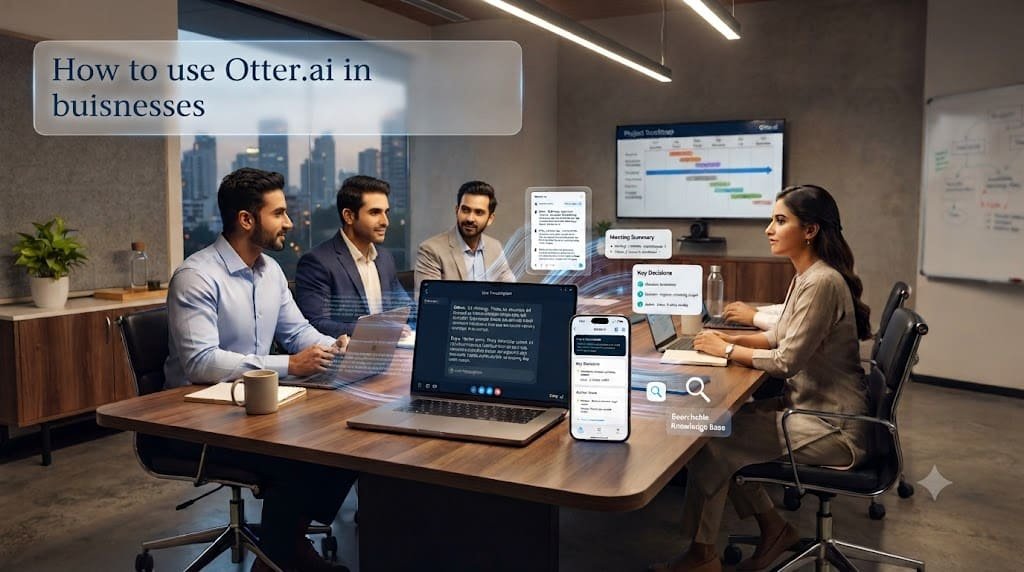
How to Use Otter.ai for Business
Introduction
Meetings are an essential part of almost every business.
Teams use meetings to discuss projects, speak with customers, conduct sales calls, interview candidates, train employees, brainstorm ideas, and make important decisions.
But there is a problem: someone has to remember and document everything that happens during those conversations.
Employees may spend time typing notes instead of participating in the discussion. Important decisions can get buried inside long meeting recordings. Action items can be forgotten, and managers may struggle to find information from previous customer conversations.
Otter.ai for Business can help.
Otter.ai is an AI-powered meeting and conversation platform that records and transcribes conversations, generates summaries, identifies action items, captures meeting slides, and allows teams to search and ask questions about their conversations. It can work with platforms including Zoom, Google Meet, and Microsoft Teams.
For businesses, the real value isn’t simply turning speech into text.
The bigger opportunity is turning conversations into searchable business information and actionable tasks.
In this guide, we’ll explain how businesses can use Otter.ai, its most useful applications, how to build an Otter-powered workflow, and what limitations businesses should consider.
What Is Otter.ai?
Otter.ai is an AI-powered transcription and meeting-notes platform.
It can listen to meetings and conversations, create transcripts, generate summaries, identify key points, and capture action items.
Businesses can use Otter during:
- Team meetings
- Sales calls
- Customer interviews
- Job interviews
- Project meetings
- Training sessions
- Brainstorming sessions
- Client presentations
- Research interviews
- Online meetings
Otter can automatically join supported virtual meetings through connected calendars, or businesses can record conversations through its apps and other supported capture methods.
The platform also provides AI-powered ways to ask questions about conversations and generate follow-up content.
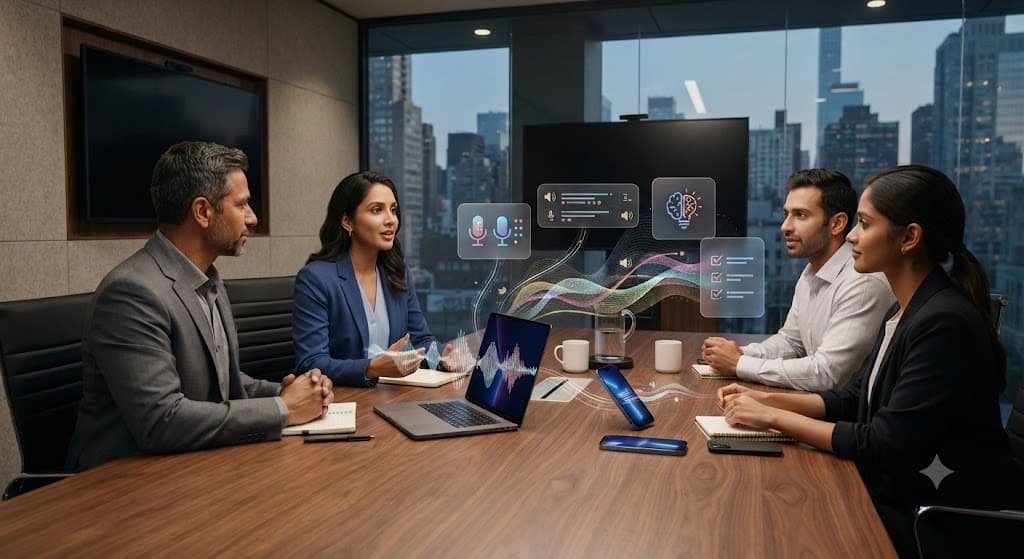
Why Should Businesses Use Otter.ai?
Traditional meeting notes create several problems.
One employee has to listen carefully while simultaneously writing notes.
That means they may miss part of the conversation.
Another problem is that handwritten or manually typed notes can be incomplete.
Otter can automate much of this documentation process.
A typical workflow looks like:
Meeting → Recording → Transcript → AI Summary → Action Items → Follow-up
Instead of spending significant time reconstructing what happened during a meeting, employees can review the generated summary and verify the important details.
Otter also allows teams to search previous conversations, making old discussions easier to revisit.
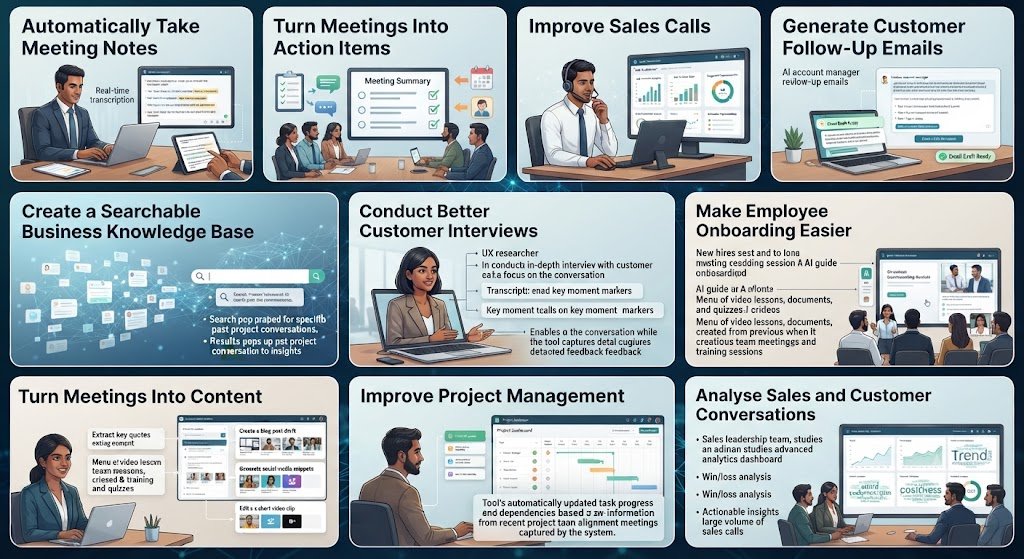
10 Ways Businesses Can Use Otter.ai
- Automatically Take Meeting Notes
One of the simplest uses of Otter.ai is automated meeting note-taking.
Instead of assigning one employee to take notes, Otter can capture the conversation and create notes automatically.
For example, imagine a marketing team has a weekly meeting.
The team discusses:
- Campaign performance
- Upcoming content
- Customer feedback
- Advertising
- Deadlines
After the meeting, Otter can provide a summary and action items.
This helps team members focus more on the conversation instead of constantly typing notes.
Otter supports virtual meetings across platforms such as Zoom, Google Meet, and Microsoft Teams.
- Turn Meetings Into Action Items
A meeting is only useful if decisions eventually become actions.
For example:
Meeting discussion:
“Let’s launch the new campaign next Monday. Sarah will prepare the creatives, and Rahul will check the landing page.”
Instead of relying on someone’s memory, AI can identify the action items.
Businesses can then review:
- Task
- Person responsible
- Deadline
- Context
Otter automatically generates action items from conversations, and its business workflows can turn meeting discussions into follow-up tasks.
This can reduce the chance of important tasks being forgotten.
- Improve Sales Calls
Sales teams can get significant value from conversation intelligence.
During a sales call, a salesperson might discuss:
- Customer requirements
- Budget
- Decision-makers
- Competitors
- Objections
- Timelines
- Next steps
Manually documenting all of this can be time-consuming.
Otter can transcribe sales conversations and generate summaries and sales insights.
Its current business and enterprise capabilities also support workflows involving CRM systems such as Salesforce and HubSpot.
For example:
Sales call → Otter transcript → Key customer requirements → Action items → CRM update → Follow-up
This creates a more structured sales process.
- Generate Customer Follow-Up Emails
After a meeting, employees often need to write a follow-up email.
That email might include:
- Thank you
- Meeting summary
- Decisions
- Agreed tasks
- Deadlines
- Next meeting
Instead of starting from a blank document, businesses can use Otter’s AI capabilities to generate follow-up content based on the conversation.
For example, after a client call, you could ask Otter to create:
“Write a professional follow-up email summarising the customer’s requirements, agreed next steps, and responsibilities.”
The employee can then review and edit the email before sending it.
- Create a Searchable Business Knowledge Base
Businesses have thousands of conversations over time.
Important information may be hidden inside old meetings.
For example, a company might want to know:
“What did the client say about the pricing issue during our last three meetings?”
Instead of manually searching through recordings, searchable meeting information can make the answer easier to locate.
Otter’s enterprise offering is designed around creating a searchable source of organisational conversation knowledge, with natural-language search and AI-powered retrieval.
This can be particularly useful for:
- Sales teams
- Customer success
- Product teams
- Management
- Research teams
- Conduct Better Customer Interviews
Customer interviews contain valuable information.
A company might ask customers:
- What problems do you have?
- Why did you choose our product?
- What features do you want?
- What do you dislike?
- What would make you switch providers?
Instead of manually taking notes, businesses can record and transcribe the conversation.
Afterwards, teams can analyse the transcript to identify:
- Common complaints
- Feature requests
- Customer language
- Buying motivations
- Frequently mentioned problems
- Product opportunities
This information can then support marketing, product development, and customer experience decisions.
- Make Employee Onboarding Easier
New employees often need to learn a lot of information.
Companies can use recorded training sessions and meeting transcripts to create searchable resources.
For example, a new sales employee could review previous training conversations and search for:
“How do we handle pricing objections?”
or:
“What is our sales qualification process?”
Otter’s enterprise and sales workflows also emphasise using past conversations and knowledge to help teams onboard employees and improve coaching.
This can turn conversations into reusable internal knowledge.
- Turn Meetings Into Content
Businesses often have valuable ideas trapped inside meetings.
A single discussion can potentially become:
- Blog posts
- LinkedIn posts
- Newsletter content
- Social-media posts
- Video scripts
- FAQs
- Case studies
Otter’s business product specifically notes that its AI can generate content such as follow-up emails, project updates, and blog posts from meeting information.
For example:
30-minute expert interview → Otter transcript → Key insights → Blog article → LinkedIn posts → Instagram carousel
This can help content teams extract more value from existing conversations.
- Improve Project Management
Project meetings often contain dozens of small decisions.
For example:
Project Manager: “The website needs to launch on Friday.”
Designer: “I’ll finish the homepage by Wednesday.”
Developer: “I’ll complete the payment integration by Thursday.”
These details can easily disappear after the meeting.
Otter can capture the conversation and generate structured notes and action items.
Businesses can also connect Otter with productivity tools and services. Its integrations include platforms such as Asana, ClickUp, Notion, Jira, and others.
This can help connect conversations with actual project workflows.
- Analyse Sales and Customer Conversations
For larger organisations, Otter can be used for conversation intelligence rather than simple transcription.
Teams can look for patterns such as:
- Customer objections
- Competitor mentions
- Frequently discussed topics
- Sales blockers
- Customer concerns
- Product feedback
- Conversation trends
Otter’s enterprise offering includes conversation intelligence and dashboards designed to surface information across customer-facing conversations.
This gives managers a broader view of what customers and sales teams are discussing.
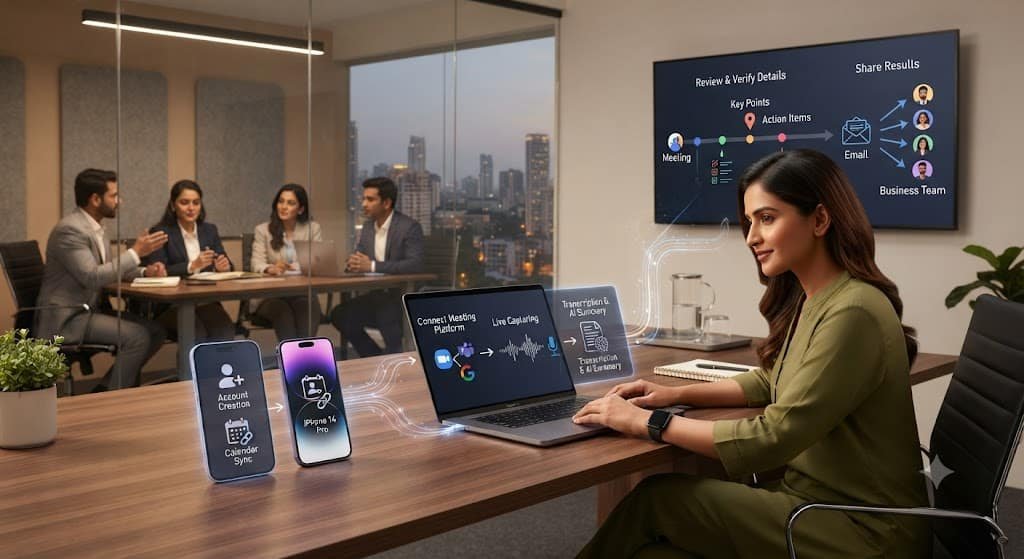
How to Use Otter.ai for Business Step by Step
Step 1: Create an Otter Account
Create an Otter account and set up your workspace.
Otter recommends using a work email when setting up a business workspace because this can support workspace and collaboration features.
Step 2: Connect Your Calendar
Connect your supported Google or Microsoft calendar.
This allows Otter to identify scheduled meetings and, where configured, automatically join supported meetings.
Step 3: Connect Your Meeting Platform
Otter supports meeting workflows involving platforms such as:
- Zoom
- Google Meet
- Microsoft Teams
The exact setup depends on your plan and meeting platform configuration.
Step 4: Let Otter Capture the Meeting
Once configured, Otter can capture the conversation.
Depending on how you use Otter, it can:
- Record audio
- Generate a live transcript
- Recognise speakers
- Capture meeting slides
- Highlight key moments
- Generate summaries
Otter also provides bot-free desktop capture options for supported workflows.
Step 5: Review the Summary
After the meeting, review the generated summary.
Look for:
- Key decisions
- Important discussion points
- Action items
- Questions
- Deadlines
- Follow-up requirements
Don’t assume every AI-generated detail is automatically correct.
Step 6: Verify Important Information
This is essential.
AI transcription and summaries can make mistakes.
Always verify:
- Names
- Numbers
- Prices
- Dates
- Customer requirements
- Contract details
- Technical information
- Important decisions
The meeting recording and transcript should remain the reference when something important is unclear.
Step 7: Share the Results
Once reviewed, share the relevant information with your team.
You can use meeting summaries as the basis for:
- Slack updates
- Emails
- Project tasks
- CRM records
- Internal documentation
Otter offers integrations that can connect meeting information to other business tools.
Example: Using Otter.ai in a Small Business
Imagine a digital marketing agency with five employees.
The agency has:
- Client meetings
- Weekly team meetings
- Sales calls
- Strategy sessions
Without Otter:
Meeting → Employee takes notes → Manual summary → Email → Tasks
With Otter:
Meeting → Automatic transcription → AI summary → Action items → Review → Team workflow
For a client meeting, the agency could then ask Otter to identify:
- Client’s main goals
- Problems discussed
- Requested changes
- Agreed deliverables
- Deadlines
- Next steps
The team can then use this information to update its project-management system.
Otter.ai for Different Types of Businesses
Marketing Agencies
Use Otter for client meetings, content interviews, strategy sessions, and project updates.
Sales Teams
Use it for sales calls, objection tracking, follow-ups, and CRM documentation.
Startups
Use it to document founder meetings, product discussions, investor conversations, and customer interviews.
Consulting Businesses
Use it to capture client requirements and create structured project notes.
Recruitment Agencies
Use it to transcribe interviews and organise candidate-related information.
Real Estate Businesses
Use it to document client discussions, property requirements, and follow-ups.
E-commerce Businesses
Use customer interviews and internal meetings to identify product feedback and marketing ideas.
Otter.ai Business Workflow
A simple business workflow could look like this:
Meeting → Otter captures conversation → Transcript → AI Summary → Key Decisions → Action Items → Follow-Up Email → CRM / Project Management → Searchable Business Knowledge
This transforms Otter from a simple transcription tool into part of a broader business workflow.
How to Slowly Implement Otter.ai
Businesses don’t need to use every feature immediately.
Step 1: Start With Weekly Meetings
Use Otter for one recurring team meeting.
Step 2: Add Client Meetings
Once the team is comfortable with the workflow, use it for selected customer conversations.
Step 3: Standardise Meeting Templates
Create consistent structures for different meeting types.
For example:
Sales Meeting
- Customer needs
- Budget
- Decision-maker
- Objections
- Timeline
- Next step
Otter supports customizable meeting templates and Insights for structuring information such as key takeaways, decisions, risks, and action items.
Step 4: Connect Your Business Tools
Connect relevant project-management or CRM tools where appropriate.
Step 5: Build a Searchable Knowledge Base
As the number of meetings grows, organise conversations by:
- Customer
- Project
- Department
- Topic
- Opportunity
Step 6: Measure the Results
Track whether Otter reduces:
- Note-taking time
- Follow-up time
- Missed tasks
- Repeated questions
Manual CRM updates
Advantages of Otter.ai for Businesses
Saves Time
Automated transcription and summaries reduce manual note-taking.
Better Meeting Documentation
Teams have a searchable record of discussions.
Easier Follow-Up
Action items and summaries can speed up post-meeting workflows.
Useful for Sales
Sales conversations can be turned into structured insights and follow-ups.
Better Knowledge Sharing
Employees can search previous conversations instead of asking colleagues to repeat information.
Content Creation
Meeting conversations can become source material for blogs, reports, and other content.
Disadvantages and Risks
Transcription Isn’t Perfect
Names, accents, technical terms, and background noise can affect transcription accuracy.
AI Summaries Need Review
An AI summary may leave out context or misunderstand a statement.
Privacy Matters
Businesses may record sensitive conversations containing customer, employee, financial, or confidential information.
Companies should establish appropriate policies for consent, recording, access, retention, and data handling before deploying meeting transcription everywhere.
Too Much Information
Recording every conversation can create a large amount of data.
Without good organisation, finding useful information can become difficult.
Employees May Have Concerns
Employees and customers may be uncomfortable with meetings being recorded.
Transparency and appropriate consent practices are important.
Otter.ai Pricing
Otter currently offers a free Basic plan alongside paid options. Its Business plan is listed at $19.99 per user per month, with a 7-day free trial, while Enterprise pricing is customised. Features can change, so businesses should verify the current pricing before purchasing.
FAQs
- What is Otter.ai used for in business?
Businesses primarily use Otter for meeting transcription, summaries, action items, conversation search, sales workflows, and follow-up automation.
- Can Otter automatically join business meetings?
Yes. Otter can connect to supported calendars and automatically join supported Zoom, Google Meet, and Microsoft Teams meetings when configured.
- Can Otter create meeting summaries?
Yes. Otter automatically generates summaries and action items from captured conversations.
- Can Otter help sales teams?
Yes. Otter provides sales-oriented features such as sales insights, follow-up generation, and CRM-related workflows.
- Can Otter create follow-up emails?
Yes. Otter can generate follow-up emails and other content based on meeting conversations.
- Can Otter integrate with other business tools?
Yes. Otter offers integrations with various productivity, CRM, collaboration, and data tools, including Salesforce, HubSpot, Slack, Asana, ClickUp, and Notion.
- Can small businesses use Otter.ai?
Yes. Otter offers a free plan and paid business options; you can start with a small team and expand the workflow as needed, or if you’re a big company, start with the business plan from the beginning.
- Is Otter.ai a replacement for employees taking notes?
It can automate much of the note-taking process, but employees should still review important summaries and action items. AI-generated notes should not automatically be treated as a perfect record.
Bottom Line
Otter.ai can turn business conversations into structured, searchable information.
Instead of simply recording meetings, businesses can use it to create transcripts, summaries, action items, follow-up emails, sales insights, and reusable knowledge.
The most useful workflow is:
Capture → Transcribe → Summarize → Verify → Assign → Follow Up → Store
Start small.
Use Otter for one recurring meeting, evaluate the results, and then gradually expand it to sales calls, customer interviews, project meetings, and internal knowledge management.
The goal isn’t to record more meetings.
The goal is to get more value from the conversations your business is already having.